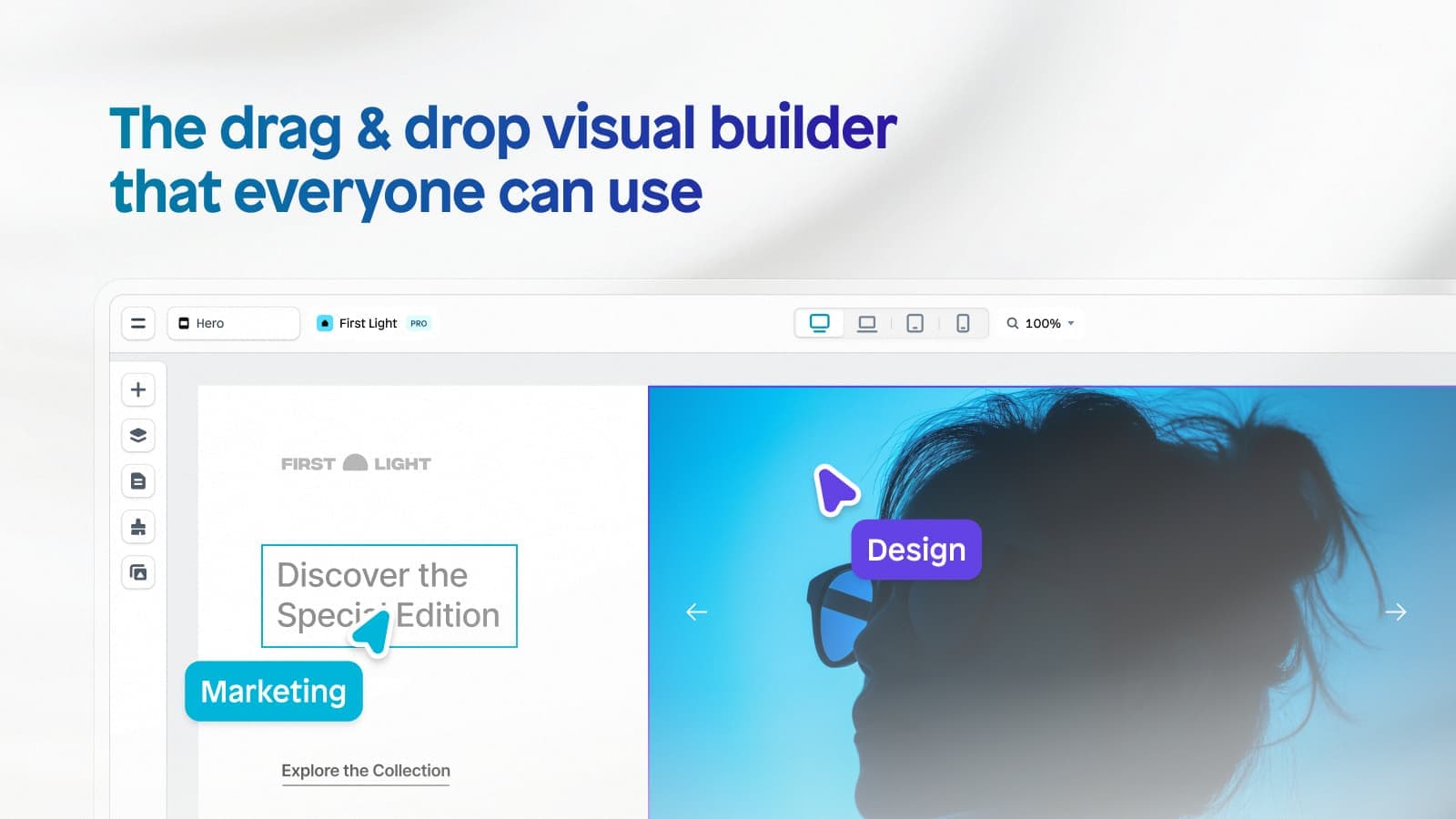
What Is Landing Page & Funnel Builders?
This category covers software designed to build, publish, and optimize standalone web pages and multi-step sequences (funnels) intended to guide visitors toward a specific conversion goal, such as capturing a lead, registering for an event, or purchasing a product. Unlike general-purpose Content Management Systems (CMS) that manage a broad hierarchy of content for long-term information architecture, Landing Page & Funnel Builders focus strictly on the conversion layer of the digital customer journey. They provide visual, drag-and-drop interfaces that allow marketing teams to deploy campaigns without relying on engineering resources.
This category sits between Digital Advertising Platforms (which drive traffic) and Customer Relationship Management (CRM) or Marketing Automation Platforms (which manage the relationship post-conversion). It is narrower than a Digital Experience Platform (DXP) as it does not typically manage full-site navigation or complex backend content repositories, yet it is broader than simple form builders because it manages the entire page layout, logic jumps, A/B testing, and visitor routing. The category includes both general-purpose standalone builders used by performance marketers and vertical-specific funnel software tailored for e-commerce, coaching, or agency workflows.
Organizations use these tools to decouple marketing agility from IT roadmaps. By isolating campaign destinations from the main corporate website, businesses can rapidly test messaging, personalize content for specific ad groups, and optimize conversion rates (CRO) without risking the stability or SEO structure of their core digital property. The primary value driver is speed to market and conversion efficiency, transforming passive traffic into actionable data.
History
The evolution of Landing Page & Funnel Builders tracks the shift of power from the IT department to the marketing department. In the late 1990s and early 2000s, creating a specific destination for an ad campaign required hand-coding HTML. "Landing pages" were simply orphans within a static website structure, often requiring weeks of lead time and a ticket in the engineering queue. The core problem was a misalignment of incentives: IT prioritized stability and standardization, while marketers needed speed and experimentation.
The mid-2000s saw the rise of the first dedicated tools that sought to bridge this gap, coinciding with the explosion of Google AdWords (launched in 2000). As pay-per-click (PPC) costs rose, the "leaky bucket" of sending paid traffic to a generic homepage became financially unsustainable. Early market entrants provided basic WYSIWYG (What You See Is What You Get) editors, allowing marketers to bypass the webmaster. This era defined the category’s fundamental promise: no-code autonomy.
By the 2010s, the market matured into two distinct branches: standalone builders and feature-sets within larger Marketing Automation Platforms (MAPs). A massive consolidation wave occurred as major CRM and email marketing giants acquired standalone builders to keep users within their ecosystems. However, a counter-movement simultaneously emerged: the "Funnel" concept. Instead of single pages, vendors began offering logic-based sequences (upsells, downsells, cross-sells) designed to maximize Average Order Value (AOV) immediately after the initial click. This shifted buyer expectations from simple "lead capture" to "revenue architecture."
Today, the category is defined by intelligence and personalization. The shift from on-premise software to cloud-native SaaS is complete, and the current frontier involves AI-driven optimization—where the software doesn't just build the page but actively predicts which variant will convert a specific visitor. As noted in recent market analysis, the focus has moved from static page construction to dynamic experience orchestration, where the landing page is no longer a static asset but a fluid interface that adapts in real-time to visitor intent.
What To Look For
Evaluating this category requires looking past flashy templates to the underlying architecture that supports scale, speed, and data integrity. The most critical criterion for high-volume buyers is page load performance architecture. It does not matter how beautiful a page is if it loads slowly. You must verify if the vendor uses a global Content Delivery Network (CDN), supports modern image formats (like WebP), and utilizes code-splitting to minimize JavaScript bloat. A builder that generates messy, heavy code will directly penalize your Quality Score on ad networks, increasing your Cost Per Click (CPC).
Red flags include platforms that lock you into proprietary hosting without export options or those that claim "unlimited" traffic but throttle bandwidth during traffic spikes—a common issue during Black Friday or product launches. Another warning sign is a lack of server-side testing capabilities. Client-side A/B testing (manipulating the DOM via JavaScript) is common but can cause a "flicker" effect that damages user experience. Superior tools offer server-side rendering for variants, ensuring a seamless experience.
Key questions to ask vendors include:
- "How does your platform handle dynamic text replacement (DTR) for Quality Score optimization, and does it impact page load speed?"
- "What is your Service Level Agreement (SLA) regarding uptime during high-velocity traffic events, and what are the specific overage costs if we exceed our visitor tier?"
- "Can we host pages on a subdirectory (e.g., website.com/offer) via reverse proxy, or are we forced to use a subdomain (e.g., offer.website.com)?" This distinction has significant implications for cookie tracking and SEO authority.
Industry-Specific Use Cases
Retail & E-commerce
In retail, the landing page serves as a focused checkout lane. The priority here is inventory synchronization and cart connectivity. Unlike B2B pages that seek an email address, e-commerce funnels must be able to read real-time stock levels (SKUs) to prevent selling out-of-stock items. A critical evaluation metric is the builder’s ability to handle "pre-cart" upsells—offering a complementary product before the checkout is finalized. Retailers must look for integrations that support "headless" commerce, allowing the front-end landing page to pass transaction data securely to the backend fulfillment system without friction. Speed is paramount; data indicates that even millisecond delays can drastically reduce cart conversion rates.
Healthcare
For healthcare providers, the non-negotiable requirement is regulatory compliance and data security. Landing pages often function as patient intake forms or appointment schedulers. Therefore, the software must support HIPAA-compliant data collection, which includes encryption at rest and in transit, and Business Associate Agreements (BAAs). Unlike retail, where impulse buys are encouraged, healthcare pages prioritize trust and clarity. Evaluation should focus on the platform's ability to integrate with Electronic Health Records (EHR) systems securely and its audit logs to track who accessed patient data. A common use case involves "symptom checker" funnels that triage patients before they ever speak to a provider.
Financial Services
Financial institutions use these tools for high-stakes lead generation, such as mortgage applications or wealth management inquiries. The unique consideration here is auditability and compliance with FINRA/SEC regulations. Marketing materials, including landing pages, are often classified as "Retail Communications" under FINRA Rule 2210, requiring archival and approval workflows. Financial buyers must prioritize builders that offer role-based access control (RBAC) to ensure unauthorized changes cannot be published. Furthermore, calculators (e.g., "How much home can I afford?") are a staple feature; the builder must support complex logic or secure embedding of third-party calculation widgets without breaking the page's security protocols.
Manufacturing
Manufacturing buyers use landing pages primarily for distributor enablement and long-cycle B2B lead generation. A unique workflow involves creating "white-labeled" portals where distributors can access marketing assets or submit orders. The landing page often acts as a gate for technical white papers or CAD drawing downloads. Unlike the high-volume, low-touch nature of e-commerce, manufacturing pages must capture granular technical requirements. Evaluation priorities include deep integration with ERP systems to quote accurate lead times and the ability to route leads to specific regional sales engineers based on complex geographic or vertical logic.
Professional Services
Consultancies, law firms, and agencies rely on landing pages to sell intellectual property and time. The "product" is the person. Consequently, the critical feature is calendar and booking integration. The funnel often moves a prospect from a webinar registration directly to a calendar booking widget. Evaluation should focus on the builder's ability to qualify leads before they can book time—using conditional logic to hide the calendar if a prospect indicates a budget below a certain threshold. This "qualification gate" workflow is essential to protecting the billable time of high-value partners and consultants.
Subcategory Overview
Landing Page & Funnel Builders for Shopify Sellers
This niche specifically caters to merchants whose entire backend infrastructure lives on Shopify. What distinguishes these tools is their deep API connectivity to the Shopify Product Catalog. Unlike generic builders where you might have to manually recreate product cards, these tools pull images, prices, and descriptions dynamically from Shopify. A workflow unique to this group is the "cart permalink" or "checkout" funnel, where a landing page adds a specific bundle of products to the Shopify cart and redirects the user directly to the Shopify checkout, bypassing the standard store theme entirely. This solves the pain point of "theme rigidity," allowing sellers to create highly customized promo pages without hiring a Liquid developer. For a detailed breakdown of tools that specialize in this integration, see our guide to Landing Page & Funnel Builders for Shopify Sellers.
Landing Page & Funnel Builders for Ecommerce Businesses
While overlapping with Shopify tools, this subcategory is broader, serving businesses on platforms like BigCommerce, WooCommerce, or headless architectures. The differentiator here is platform agnosticism and advanced checkout replacement. These tools often replace the native checkout experience entirely to offer one-click upsells and post-purchase offers that the core e-commerce platform might not support natively. A specific workflow involves managing "inventory buffers" across multiple sales channels, ensuring a landing page campaign doesn't oversell stock. The driving pain point is the need to increase Average Order Value (AOV) through aggressive upsell sequences that standard store templates cannot accommodate. To explore solutions that offer these agnostic capabilities, visit our guide to Landing Page & Funnel Builders for Ecommerce Businesses.
Landing Page & Funnel Builders for Marketing Agencies
Agencies require tools that solve for client management and scalability. The defining feature of this niche is the "Sub-Account" or "Client Workspace" architecture, which allows an agency to manage 50 different clients with distinct billing and access permissions under one master login. A workflow unique to this group is asset replication—taking a high-performing funnel built for a dentist in New York and cloning it instantly for a dentist in London, with only the branding updated. The pain point driving buyers here is "administrative chaos"—generic tools often force agencies to share logins or constantly log in and out of different accounts. For platforms that streamline these agency operations, check our guide to Landing Page & Funnel Builders for Marketing Agencies.
Landing Page & Funnel Builders for Digital Marketing Agencies
This subcategory is hyper-focused on performance marketing and Paid Media (PPC/Social). While general agency tools focus on management, these tools focus on ROAS (Return on Ad Spend). They differentiate through features like "Dynamic Text Replacement" (DTR), which matches the landing page headline to the specific keyword the user searched for in Google Ads. A critical workflow here is passing "GCLID" (Google Click ID) and conversion data back to ad networks via server-side APIs to train bidding algorithms. The specific pain point is "Quality Score" penalties; these agencies need tools that load instantly to satisfy Google's Core Web Vitals, ensuring lower CPCs. For tools optimized for high-performance ad campaigns, see our guide to Landing Page & Funnel Builders for Digital Marketing Agencies.
Integration & API Ecosystem
The true power of a landing page builder lies in how effectively it passes data to the rest of the stack. Statistics from the MuleSoft Connectivity Benchmark Report indicate that the average enterprise uses nearly 900 applications, yet only 29% are integrated [1]. This "connectivity gap" is where landing page strategies often fail. A robust integration ecosystem is not just about having a Zapier connection; it is about the depth and reliability of native APIs. For example, a high-quality integration with a CRM should not just pass the "Name" and "Email," but also hidden fields like "UTM Source," "Lead Score," and "Time on Page."
Scenario: Consider a 50-person professional services firm running a webinar campaign. They need the landing page to register the user in the webinar software (e.g., Zoom), create a contact in their CRM (e.g., Salesforce), and trigger a confirmation email from their marketing automation tool (e.g., HubSpot). If the integration is poorly designed, a "race condition" might occur where the email triggers before the CRM contact is fully created, resulting in broken personalization tokens (e.g., "Hello {First_Name}"). Expert buyers test for bi-directional data syncing to ensure that if a lead status changes in the CRM, the landing page can dynamically update (e.g., hiding a form for a known customer).
Analysts at Deloitte have highlighted that "data silos" remain a top barrier to digital transformation [2]. When evaluating a builder, verify if it supports webhooks for custom data posting. This allows you to bypass standard integrations and send JSON payloads directly to your proprietary backend, a requirement for complex enterprise workflows.
Security & Compliance
Security is no longer an IT concern; it is a marketing imperative. According to the IBM Cost of a Data Breach Report 2024, the global average cost of a data breach has reached $4.88 million [3]. Landing pages are often the primary collection point for Personally Identifiable Information (PII), making them a prime target for attacks like Cross-Site Scripting (XSS) and SQL injection. Compliance goes beyond basic SSL certificates. In highly regulated sectors, the "Right to be Forgotten" under GDPR and CCPA requires that a landing page builder can programmatically delete a lead's data from all backups upon request.
Scenario: A financial services firm launches a "Mortgage Rate Calculator" landing page. If the builder stores the applicant's social security number in plain text within its own database—even temporarily—before passing it to the secure loan origination system, the firm is in violation of strict data handling protocols. A compliant tool would offer a feature often called "Lead Bypass" or "Direct Post," where the form data is transmitted directly to the secure endpoint without ever being written to the landing page builder’s disk [4]. This architecture minimizes the "attack surface" and shifts liability away from the marketing tool.
Forrester's research emphasizes that trust is a key differentiator in the digital economy [5]. Buyers must verify if the vendor holds SOC 2 Type II certification, which attests that their security controls have been audited over a period of time, not just at a single point in time.
Pricing Models & TCO
Pricing in this category can be deceptive. The initial monthly fee is often a fraction of the Total Cost of Ownership (TCO). Vendors typically use a tiered model based on unique visitors or published pages. Nucleus Research has found that for every dollar spent on marketing automation and related conversion tools, organizations can expect a return of $5.44, but this ROI is contingent on predictable costs [6]. The danger zone lies in "overage fees." If a campaign goes viral, a traffic-based pricing model can penalize success with exorbitant bills for exceeding bandwidth limits.
Scenario: Imagine a hypothetical 25-person marketing team evaluating two vendors. Vendor A charges a flat fee of $1,000/month for unlimited traffic. Vendor B charges $400/month but caps traffic at 100,000 visitors, with a $10 fee for every extra 1,000 visitors. If the team launches a successful Black Friday campaign that drives 500,000 visitors, Vendor B’s cost skyrockets to $4,400 for that month alone—destroying the campaign's margin. A thorough TCO calculation must factor in sub-domain costs, SSL certificate fees (some vendors charge extra for custom certificates), and the cost of seat licenses for designers and copywriters who need access to the builder.
Expert buyers should also look for "grandfathering" clauses in contracts. As the market consolidates, vendors frequently restructure pricing. Securing a guarantee that your price will not increase by more than a set percentage (e.g., 5%) per renewal term is a critical negotiation point.
Implementation & Change Management
The "time-to-value" gap is a major failure point in software adoption. Gartner estimates that poor data quality—often resulting from hasty implementations—costs organizations an average of $12.9 million annually [7]. Implementing a landing page builder is not just about logging in; it involves migrating existing assets, setting up domain records (DNS), and training the team on the new visual editor. Resistance often comes from designers who feel limited by the tool's constraints compared to custom coding.
Scenario: A mid-sized retail brand decides to switch from hard-coding pages to a visual builder to speed up their holiday campaign launch. The marketing director assumes the migration will take one week. However, they fail to account for the DNS propagation time and the need to recreate 50+ legacy tracking pixels (Facebook, Google Ads, TikTok) in the new environment. The implementation drags on for six weeks, missing the holiday window. To avoid this, a proper change management plan must include a "Pixel Audit" phase and a "Global Scripts" setup where tracking codes are managed centrally, ensuring they apply to all future pages automatically.
McKinsey notes that successful digital transformations require a "rewiring" of how the organization operates, not just new tech [8]. In this context, it means redefining the workflow between design and copy teams. Instead of handing off a static mockup, designers should build directly in the tool, using "Global Blocks" (saved headers/footers) to ensure brand consistency across hundreds of pages.
Vendor Evaluation Criteria
When selecting a vendor, look beyond the feature list to the velocity of innovation. The digital landscape changes rapidly—Google updates its Core Web Vitals, Apple updates iOS privacy rules. A stagnant vendor will leave you with non-compliant or slow pages. Forrester's landscape reports suggest that the market is bifurcating into "specialists" and "platform players" [9]. You must decide if you need a best-of-breed tool that does one thing perfectly or a suite that does everything "good enough."
Scenario: A company evaluates Vendor X, which has excellent features but hasn't released a major update in 12 months. Six months after signing, a new browser privacy update breaks the vendor's tracking method. Vendor X takes three months to patch it because their engineering debt is high. Meanwhile, the company loses attribution data on 30% of their leads. Expert evaluators review the vendor's changelog or release notes for the past year. High-quality vendors release significant updates or improvements at least quarterly. Another critical criterion is Support Tiering. Does the "Enterprise" plan just mean more seats, or does it grant access to a dedicated "Implementation Specialist" who can debug your custom JavaScript?
Emerging Trends and Contrarian Take
Emerging Trends 2025-2026: The immediate future of this category is dominated by Agentic AI. As identified by Gartner's Top Strategic Technology Trends for 2025, AI agents will move beyond simple text generation to autonomous action [10]. In the context of landing pages, this means "self-healing" funnels. Imagine an AI agent that monitors your page's bounce rate at 3:00 AM; if it detects a spike in drop-offs, it autonomously swaps the hero image or headline to a variant that has historically performed better with that specific traffic source, without human intervention. We are also seeing a shift toward "Headless" Landing Pages, where the builder serves as a visual front-end for content that is dynamically pulled from a separate PIM (Product Information Management) or CMS, allowing for massive scale without manual page duplication.
Contrarian Take: The standalone landing page builder category is rapidly consolidating into obsolescence for the mid-market.
While niche players will survive, the general-purpose "page builder" is becoming a feature, not a product. CRM and Email Marketing platforms are improving their native builders so aggressively that for 80% of businesses, paying for a separate landing page tool is becoming a "laziness tax"—a cost incurred simply because they haven't learned to use the tools they already own. Unless you are a high-volume performance advertiser requiring granular control over millisecond load times and dynamic text replacement, your "best" landing page builder might just be the one already built into your CRM.
Common Mistakes
One of the most pervasive mistakes is ignoring mobile speed metrics. Marketers often design on large desktop monitors and approve beautiful, high-resolution pages that are unusable on 4G networks. Deloitte's "Milliseconds Make Millions" study proved that a 0.1-second improvement in mobile site speed can increase conversion rates by 8.4% in retail [11]. Failing to compress images or lazy-load scripts is a direct revenue leak.
Another critical error is "Over-Tracking." In a bid to measure everything, teams load Google Tag Manager, Facebook Pixel, LinkedIn Insight Tag, Hotjar, and five other scripts onto a single page. This third-party code bloat creates a "heavy" page that loads slowly and behaves erratically. Smart teams prioritize server-side tracking (CAPI) to keep the client-side experience lightweight.
Finally, a common process failure is disconnected A/B testing. Teams run tests on button colors (a low-impact variable) while ignoring the offer itself. Or worse, they run a test but fail to reach statistical significance before declaring a winner. A valid test requires a sufficient sample size; stopping a test after 50 visits because "Variant B looks like it's winning" is statistically invalid and often leads to long-term performance degradation.
Questions to Ask in a Demo
- "Can you show me the Google PageSpeed Insights score for a real, live page hosted on your platform—not a demo template?"
- "Does your platform support 'Global Blocks' or 'Smart Sections' where I can update a footer once and have it reflect across 500 live pages instantly?"
- "What happens to my data and my live pages if I decide to cancel my subscription? Do you provide a static HTML export?"
- "How do you handle SSL certificate renewal? Is it automated, and does it support custom root domains?"
- "Can I set up 'Client-Only' views where my client can see the dashboard but cannot edit the page design?"
- "Do you have a native integration with [Your Specific CRM], or does it rely on a third-party connector like Zapier?"
- "Show me exactly how to set up a URL redirect if I need to take a page down. Is it a 301 or 302 redirect?"
Before Signing the Contract
Final Decision Checklist: Ensure that the platform fits your team's technical maturity. A powerful tool that requires CSS knowledge to look good will fail in a team of non-technical copywriters. Verify Data Sovereignty; if you are in the EU, ensure the vendor has servers in the EU to comply with GDPR data residency requirements.
Common Negotiation Points: Vendor pricing is often negotiable on "traffic tiers." If you are on the borderline between two tiers, ask for a "soft cap" where you aren't charged overages until you exceed the limit by 10-15%. Also, negotiate for Multi-Year Price Locks. SaaS inflation is real; locking in your rate for 2-3 years protects your budget.
Deal-Breakers to Watch For: Avoid any vendor that claims ownership of the content or design you create on their platform. You must retain full intellectual property rights. Also, be wary of vendors that do not offer Single Sign-On (SSO) for enterprise plans; managing security across a large team without SSO is a major vulnerability.
Closing
Selecting the right landing page and funnel builder is a strategic infrastructure decision that impacts your entire customer acquisition cost. If you have specific questions about how these tools fit into your unique tech stack or need a sounding board for your final decision, feel free to reach out.
Email: albert@whatarethebest.com