What Is Cloud Backup & Recovery Software?
Cloud Backup & Recovery Software is a category of data protection technology designed to replicate, transmit, and store digital information on remote, cloud-based servers to ensure its preservation and restorability. Unlike simple cloud storage, which focuses on file accessibility and collaboration (think "live" file syncing), this software automates the creation of point-in-time copies of data—spanning servers, virtual machines, databases, endpoints, and SaaS applications. Its primary function is to provide a failsafe against data loss events ranging from accidental deletion and hardware failure to malicious ransomware attacks and natural disasters.
This category sits distinctly between raw Cloud Storage (infrastructure-as-a-service layers like Amazon S3, which require manual management) and full-scale Disaster Recovery as a Service (DRaaS) (which focuses on near-instant failover of entire computing environments). Cloud Backup & Recovery covers the lifecycle of data preservation: defining backup policies (frequency and retention), encrypting data in transit and at rest, deduplicating data to minimize storage costs, and orchestrating the granular restoration of specific files or full systems. It includes both general-purpose enterprise platforms capable of protecting hybrid environments and vertical-specific tools tailored for industries with unique compliance mandates, such as healthcare and financial services.
Organizations use this software to meet Recovery Point Objectives (RPO)—the maximum acceptable amount of data loss measured in time—and Recovery Time Objectives (RTO)—the targeted duration of time to restore operations. In an era where data is the lifeblood of operations, this software matters because it is often the last line of defense against the existential threat of ransomware, ensuring that businesses can refuse extortion demands and recover their own proprietary assets.
History of the Category
The trajectory of backup software has always been dictated by the "gap" between data growth and hardware capacity. In the 1990s, backup was a hardware-centric discipline dominated by magnetic tape drives. Software in this era, such as the early iterations of Veritas or Legato, was essentially a sophisticated driver for tape libraries, designed to sequentially write data from mainframes and early server networks. The gap here was physical; IT administrators physically rotated tapes offsite to Iron Mountain vaults to ensure disaster recovery. Restoration was a slow, manual process measured in days.
The 2000s introduced the first major shift: the rise of disk-to-disk backup. As hard drive costs plummeted, organizations began backing up to onsite disk arrays for faster recovery, relegating tape to long-term archiving. This era also saw the explosion of virtualization. Traditional backup tools struggled with the abstraction layer of Virtual Machines (VMs), creating a market gap that allowed virtualization-native vendors to emerge. These tools introduced "agentless" backups, interacting directly with the hypervisor rather than the guest operating system, a fundamental architectural change that remains relevant today.
The 2010s marked the transition from on-premises to the cloud. Initially, the cloud was treated merely as "tape in the sky"—a cheap, deep storage tier. However, the rise of Software-as-a-Service (SaaS) created a new, dangerous misconception: the idea that cloud vendors protect customer data. The "Shared Responsibility Model" clarified that vendors ensure platform uptime, but customers are responsible for data integrity. This birthed the modern Cloud Backup & Recovery category, which now had to protect data living outside the corporate firewall in ecosystems like Microsoft 365 and Salesforce. Market consolidation was rampant during this period, with large hardware vendors acquiring software startups to pivot toward software-defined storage.
By the 2020s, the narrative shifted from "insurance" to "cyber resilience." The industrialization of ransomware meant that backups were no longer just for accidents; they became primary targets for attackers. The market evolved from simple "database dump" tools to sophisticated platforms offering immutable (unchangeable) storage, AI-driven anomaly detection to spot encryption in progress, and instant VM mounting to reduce downtime to minutes. Today, the category defines itself not just by copying data, but by its ability to guarantee the integrity of that data in a hostile threat landscape.
What to Look For
Evaluating Cloud Backup & Recovery Software requires moving beyond feature checklists to assess architectural resilience and total cost of ownership. The most critical criterion is Immutability and Air-Gapping. In the current threat landscape, a backup solution that allows valid credentials to delete or overwrite past backups is a liability. Look for "Object Lock" capabilities or veritable air-gapping that physically or logically isolates backup copies from the production network, ensuring that even a compromised administrator account cannot purge your safety net.
Recovery Granularity and Speed are equally vital. Many tools can ingest data quickly (high backup speed), but fail to restore it efficiently (low recovery speed). Evaluate whether the solution requires a full "rehydration" of data before access or if it supports "Instant Recovery," where a backup image can be mounted as a live virtual machine in minutes while the data restores in the background. For SaaS environments, ensure the tool can restore metadata and permissions, not just raw files; restoring 10,000 files without their folder structure or access rights is often useless.
A major red flag is Opaque Egress and API Pricing. Many vendors offer attractive storage rates but hide the costs of recovery. Restoring 50TB of data from a public cloud can trigger thousands of dollars in egress fees and millions of API "GET" request charges. Demand a clear explanation of recovery costs: does the vendor absorb egress fees, or are they passed through? Another warning sign is the lack of SaaS-native APIs. Tools that "scrape" data rather than using official APIs often break when the source platform updates, leading to silent backup failures.
Key questions to ask vendors include: "How do you handle API throttling from providers like Microsoft or Salesforce during a full restore?", "Can you demonstrate a 'mass restore' scenario of 100+ TBs and the associated timeline?", and "Is your immutability governed by a third-party compliance lock that you (the vendor) cannot override even if we ask?" The answer to the last question reveals the true depth of their security architecture.
Industry-Specific Use Cases
Retail & E-commerce
For retail and e-commerce businesses, the backup focus shifts from simple file retention to transactional integrity and uptime. These organizations must protect high-velocity data streams, such as Point of Sale (POS) transaction logs and inventory databases, where even minutes of data loss can result in significant revenue discrepancies and customer service failures. The evaluation priority here is the ability to perform frequent, incremental backups (often as frequently as every 15 minutes) without impacting the performance of the live e-commerce storefront.
A unique consideration for this sector is compliance with the Payment Card Industry Data Security Standard (PCI DSS). Backup software must support strict encryption key management and role-based access controls to ensure that archived transaction logs do not become a vector for credit card theft. Furthermore, for businesses running on platforms like Shopify or BigCommerce, native platform backups are often insufficient for item-level recovery (e.g., accidentally deleting a product catalog). Specialized tools are required to restore specific API objects while maintaining links to product images and inventory counts. [1], [2]
Healthcare
The healthcare sector faces the dual pressures of HIPAA regulatory mandates and being the primary target for ransomware attacks. The critical need here is protecting Electronic Health Records (EHR) and ensuring patient safety through minimized downtime. Statistics indicate that ransomware attacks can cost healthcare organizations an average of $9.77 million, with recovery times often stretching over a month. Therefore, backup solutions must demonstrate high-speed recovery (low RTO) to bring clinical systems back online immediately, preventing impacts on patient care. [3], [4]
Evaluators must prioritize solutions that offer robust encryption both in transit and at rest to satisfy HIPAA Security Rule requirements. Additionally, because healthcare data includes large imaging files (PACs/DICOM), the software must be capable of efficiently deduplicating and compressing these unique file types to keep storage costs manageable. A red flag in this sector is any solution that does not sign a Business Associate Agreement (BAA), as this indicates a lack of liability acceptance for PHI data protection.
Financial Services
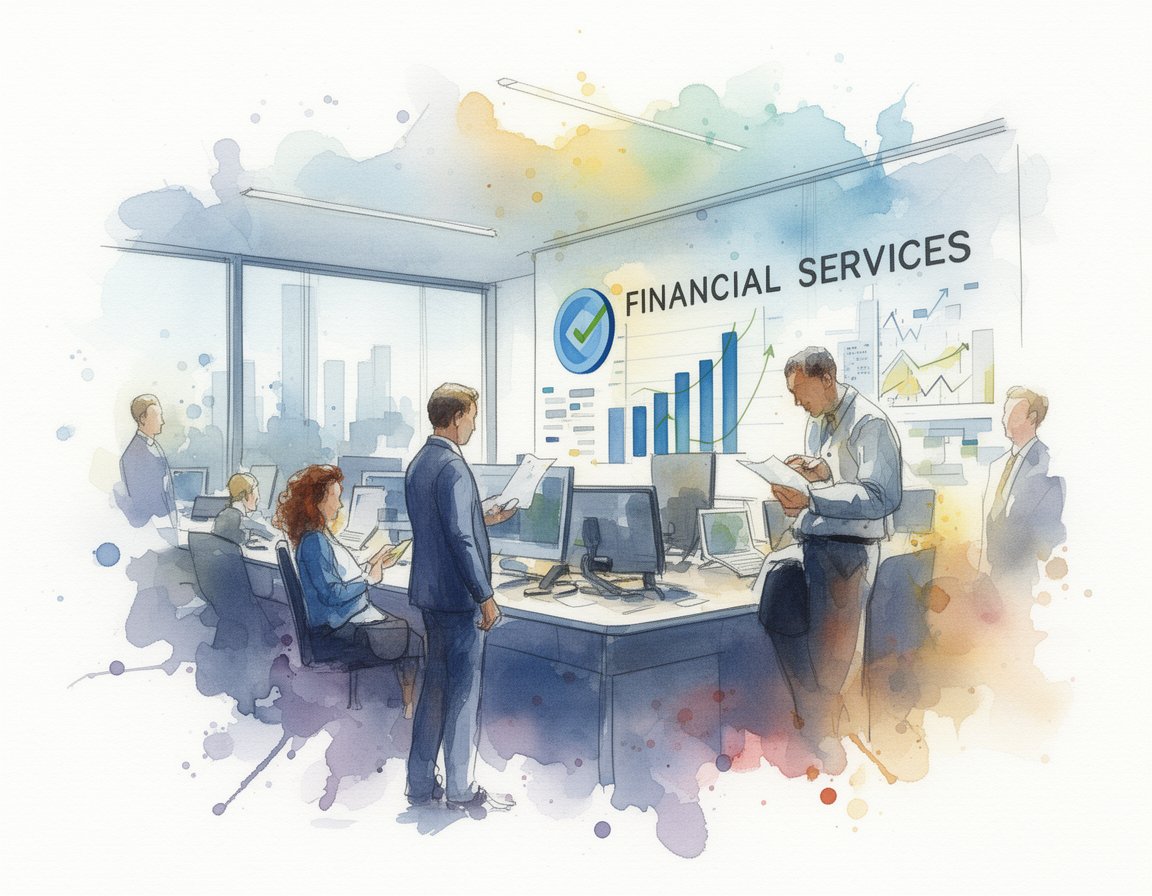
In financial services, the absolute mandate is Immutability and Retention to comply with SEC Rule 17a-4 and FINRA regulations. These rules require that electronic records be preserved exclusively in a non-rewriteable, non-erasable format (WORM - Write Once, Read Many). General-purpose backup tools often fail this specific requirement if their "immutability" is merely a software flag rather than a compliant storage lock. Firms must evaluate solutions that provide granular audit trails proving who accessed a backup and when, as this is standard for regulatory audits. [5], [6]
Unique to this industry is the need to integrate backup data with eDiscovery platforms. When litigation or regulatory inquiries occur, firms must be able to search and retrieve specific communications or transaction records from within the backup archives without restoring the entire database. This "index-in-place" capability is a massive differentiator for enterprise-grade financial tools versus standard backup software.
Manufacturing
Manufacturing downtime is exceptionally costly, estimated at $22,000 per minute in the automotive sector alone. The specific need here is the protection of Operational Technology (OT) and SCADA systems alongside traditional IT data. Unlike standard servers, these industrial control systems often run on legacy operating systems that modern backup agents may not support. Therefore, manufacturing buyers must look for "agentless" backup options or specialized support for legacy platforms. [7], [8]
Another unique consideration is the decentralized nature of manufacturing data, often spread across remote factories with poor internet connectivity. "Edge-to-cloud" backup architectures are critical here, where local appliances cache backups for speed and reliability, only syncing to the cloud when bandwidth permits. This ensures that a factory can recover from a local server failure instantly without waiting to download terabytes of data over a slow connection.
Professional Services
For law firms, consultancies, and agencies, the product is the data—documents, emails, and intellectual property. The driving evaluation priority is Client Confidentiality and ethical obligations (such as ABA Model Rule 1.6 for lawyers) to protect client information. Backup solutions must support granular encryption where different clients' data archives are encrypted with different keys, ensuring that a breach of one key does not compromise the entire firm's repository. [9], [10]
Versioning is also critical. Professional services workflows often involve hundreds of revisions of a single contract or deliverable. The backup software must act as a reliable historical archive, allowing users to restore "Version 42" of a document from six months ago without administrative assistance. This self-service restoration capability reduces IT ticket volume and keeps high-billing professionals productive.
Subcategory Overview
Cloud Backup & Recovery Software for Contractors
Contractors and construction firms manage massive, complex file types like CAD drawings and BIM (Building Information Modeling) models that can easily exceed gigabytes in size. Unlike generic text documents, these files have intricate dependencies (XREFs); if you restore a main file without its linked assets, the drawing is useless. Specialized Cloud Backup & Recovery Software for Contractors handles these file relationships and large dataset transfers efficiently, often using block-level deduplication to sync only the tiny changes made to a massive model. The specific pain point driving buyers here is the inability of standard tools to preview or properly version these proprietary file formats, leading to costly rework on the job site.
Cloud Backup & Recovery Software for Accountants
Accountants handle highly sensitive financial data that is subject to strict IRS regulations, specifically IRS Publication 4557, which mandates a data security plan for tax professionals. Generic backup tools often lack the specific encryption standards and audit logs required to prove compliance during an IRS audit. Our guide to Cloud Backup & Recovery Software for Accountants highlights tools that integrate directly with accounting platforms like QuickBooks Online and Xero. A unique workflow these tools handle well is the "point-in-time" rollback of a client's books before a catastrophic error was made, allowing an accountant to undo a bulk transaction import without wiping out subsequent work.
Cloud Backup & Recovery Software for Digital Marketing Agencies
Digital marketing agencies generate enormous volumes of rich media content—4K video footage, high-resolution photography, and raw project files. The sheer storage cost of backing up terabytes of "cold" (infrequently accessed) footage on standard cloud tiers can destroy an agency's margins. Cloud Backup & Recovery Software for Digital Marketing Agencies specializes in intelligent tiering, automatically moving finished project assets to ultra-low-cost archival storage while keeping active projects on high-performance tiers. The driving pain point is the need to access a specific clip from a 3-year-old campaign instantly without paying exorbitant "egress" or retrieval fees charged by generic hyperscalers.
Cloud Backup & Recovery Software for Marketing Agencies
While digital agencies focus on creative files, general marketing agencies rely heavily on marketing automation platforms like HubSpot and Marketo. A generic backup tool cannot back up a complex "customer journey" workflow or the attribution data linked to a specific lead. Specialized Cloud Backup & Recovery Software for Marketing Agencies protects the metadata and relationships within these SaaS platforms. It solves the nightmare scenario where an erroneous bulk update wipes out lead scores or segmentation lists—a workflow that generic file-based backup tools are completely blind to.
Cloud Backup & Recovery Software for Ecommerce Businesses
Ecommerce businesses operating on platforms like Shopify or BigCommerce face a unique risk: the "app" ecosystem. A third-party inventory app can accidentally overwrite product descriptions, prices, or images across an entire catalog. Generic backup tools cannot see inside these proprietary SaaS databases. Cloud Backup & Recovery Software for Ecommerce Businesses uses platform-specific APIs to backup individual product SKUs, customer records, and theme files. The critical differentiator is the ability to restore a single product's pricing history or a specific blog post without reverting the entire store and losing recent sales data.
Integration & API Ecosystem
In the modern stack, backup software cannot exist as an island; it must integrate deeply with the applications it protects via APIs. The robustness of this ecosystem determines whether a backup is "application-aware"—meaning it understands the difference between a SQL database file and a simple Word doc—or if it is merely copying raw bits. A critical evaluation point is the vendor's ability to handle API rate limits imposed by SaaS providers. For instance, Salesforce and Microsoft 365 limit the number of API calls a tenant can make per minute. Poorly designed backup integrations can trigger these limits, causing the backup job to fail or, worse, throttling the performance of the live application for users.
Expert Insight: A common failure point in integrations is token management. As noted in technical discussions regarding API stability, poorly maintained integrations often fail to renew authentication tokens automatically, leading to silent backup failures that are only discovered during a crisis [11].
Real-World Scenario: Consider a 50-person professional services firm that integrates its backup solution with a project management tool like Asana or Trello. If the backup integration is "flat," it might only save the task descriptions as text. A properly integrated solution maps the dependencies—preserving the comments, attachments, and user assignments. If the firm accidentally deletes a project board, a poor integration restores a list of text; a deep integration restores the workflow. Without this, the firm loses the context of their work, which is often more valuable than the data itself.
Security & Compliance
Security in cloud backup has evolved from simple encryption to active cyber resilience. Compliance is no longer just about having a copy; it's about proving that the copy hasn't been tampered with. This brings us to the concept of immutable storage—backups that cannot be altered or deleted, even by root admins, for a set period. This is the only reliable defense against ransomware strains that actively hunt and encrypt backup repositories before detonating on production servers. According to Veeam’s 2024 Ransomware Trends Report, 96% of attacks now explicitly target backup repositories to force victims into paying the ransom [12].
Statistic: In 2024, the healthcare sector alone faced average breach costs of $9.77 million, highlighting the financial necessity of compliant, secure backups [13].
Real-World Scenario: A mid-sized regional bank must comply with SEC Rule 17a-4. They utilize a general-purpose backup tool that encrypts data but allows the IT admin to delete "old" archives to save space. During a routine audit, the SEC demands proof that specific trade logs from two years ago are unalterable. The firm cannot provide an immutable audit trail because their backup admin could have theoretically deleted them. This failure to demonstrate WORM (Write Once, Read Many) compliance could result in massive fines, distinct from any actual data loss.
Pricing Models & TCO
The Total Cost of Ownership (TCO) for cloud backup is notoriously opaque. Buyers often focus on the "sticker price" (e.g., $5 per user/month or $20 per TB), ignoring the hidden variable costs that explode during a recovery event. The two biggest hidden costs are Egress Fees (the cost to move data out of the cloud) and API Request Fees. While major providers like Google Cloud and AWS have made headlines by reducing egress fees for customers leaving their platforms entirely, standard recovery operations often still incur significant data transfer costs [14]. Furthermore, "cold" storage tiers, while cheap to store data in, often have high retrieval costs and minimum storage duration penalties.
Statistic: A 2024 report by Wasabi found that 53% of organizations exceeded their cloud storage budget, with data operations and egress fees being primary drivers of this overage [15].
Real-World Scenario: Imagine a design agency with 25 employees managing 50TB of video assets. They choose a "cold archive" tier costing $0.004/GB/month to save money ($200/month). When a server crashes, they need to download all 50TB immediately to resume work. They are hit with a retrieval fee (often higher than the storage cost) and an egress fee of roughly $0.09/GB. The restoration event costs them over $4,500 in one day—more than two years' worth of storage premiums. A TCO calculation must account for at least one full recovery event per year to be realistic.
Implementation & Change Management
Implementing cloud backup is rarely a "set and forget" operation. The challenge lies in ensuring that the backup scope evolves with the business. As teams add new SaaS tools, spin up new VMs, or create new SharePoint sites, the backup policy must automatically detect and protect these new assets. "Scope creep" in reverse—where data exists but isn't backed up—is a leading cause of restore failures.
Expert Quote: Veeam’s research indicates that only 58% of servers meet their recovery SLAs during large-scale recovery tests, suggesting a massive gap between implementation theory and operational reality [16].
Real-World Scenario: A 500-person manufacturing company implements a robust backup for their on-premise ERP system. Over two years, disparate departments independently adopt Microsoft Teams for file sharing and project management. The IT team's backup policy is static and only covers the ERP and email. When a disgruntled employee deletes a critical Teams channel containing proprietary schematics, IT realizes that Teams data was never added to the backup scope. Implementation success requires dynamic discovery rules that automatically tag and protect new data sources.
Vendor Evaluation Criteria
Evaluating vendors requires looking at their financial stability, their support ecosystem, and their innovation roadmap. The market is consolidating, and "pure play" backup vendors are increasingly being acquired by security firms or broader data management conglomerates. Buyers should prioritize vendors recognized as "Leaders" in reports like the Gartner Magic Quadrant for Enterprise Backup and Recovery Software Solutions, as these vendors have demonstrated the ability to execute on their vision and support complex, hybrid environments.
Statistic: In the 2024 market analysis, Gartner highlighted that vendors are increasingly differentiated by their ability to provide "Cyber Resilience"—integrating backup with threat detection—rather than just data copying [17].
Real-World Scenario: An enterprise evaluates Vendor A and Vendor B. Vendor A is cheaper but proprietary; they use a closed file format for backups. Vendor B is more expensive but uses a standard, self-describing format and offers a "portability" guarantee. Two years later, Vendor A is acquired and sunsets the product. The enterprise is forced to migrate petabytes of data in a rush. Vendor B’s open format would have allowed them to migrate at their own pace or even access data without the vendor's software. Vendor evaluation must consider the "exit strategy" from day one.
Emerging Trends and Contrarian Take
Emerging Trends 2025-2026: The convergence of backup and cybersecurity will deepen, giving rise to "Autonomous Cyber Recovery." We will see AI agents that do not just alert humans to a ransomware attack but actively intervene—severing network connections and initiating restores of the last known "clean" data blocks automatically. Additionally, we expect a shift away from generic cloud storage toward "Application-Specific Vaults" where backup vendors provide specialized, isolated clouds optimized for specific workloads (like Salesforce or SAP) to guarantee compliance and performance that generic S3 buckets cannot.
Contrarian Take: "Cold storage is a financial trap for most active businesses." The industry has obsessed over "tiering" data to the cheapest possible Glacier-like storage to save pennies per gigabyte. However, for any business that values agility, the retrieval times (hours to days) and unpredictable retrieval costs of cold storage render it useless for operational recovery. In a ransomware scenario, waiting 12 hours for data to "thaw" is unacceptable. Businesses would get better ROI by keeping less data, but keeping it all on "hot" or "warm" tiers where it is instantly actionable, rather than hoarding digital debris in a frozen graveyard they can't afford to access.
Common Mistakes
One of the most pervasive mistakes is Ignoring the SaaS Shared Responsibility Model. Countless organizations assume that because their data is in Microsoft 365 or Google Workspace, it is "backed up" by Microsoft or Google. It is not; these providers guarantee platform uptime, not data retention. If a user deletes a file and purges the recycle bin, or if a malicious script wipes a SharePoint site, the platform provider cannot restore it after their short retention window (usually 14-30 days) expires.
Another critical error is "Set It and Forget It" without Testing. Organizations often configure backup schedules and check for "green checkmarks" on a dashboard, assuming safety. However, a successful backup does not guarantee a successful restore. Corrupted backup chains, expired encryption keys, or insufficient destination storage can all cause restores to fail. A backup strategy is theoretical until a restore test proves it works.
Questions to Ask in a Demo
- "Can you show me the exact process for a single-item restore vs. a full-system restore?" (Watch for complexity differences; single-item should be trivial).
- "How is your immutable storage architected? Is it a governance mode I can turn off, or a compliance mode that even you cannot bypass?"
- "Do you charge for egress or API calls during a recovery, or is that included in the license?"
- "How does your solution handle API throttling from [Your Critical SaaS App]?"
- "Can I run a restore test in a sandbox environment without overwriting production data?"
- "What happens to my data if I cancel my subscription? In what format can I export it?"
Before Signing the Contract
Before finalizing the deal, ensure the Service Level Agreement (SLA) explicitly defines support response times for "Severity 1" recovery incidents. A 4-hour response time is unacceptable when your business is down; aim for 15 minutes or less for critical recovery support. Negotiate Fixed Pricing for storage growth if possible; data naturally grows, and you don't want your bill to double unexpectedly in year two. Finally, check for a "Bail-out" Clause regarding data portability—ensure you have the right (and the technical ability) to extract your data in a non-proprietary format if you leave the vendor.
Closing
Navigating the complex landscape of cloud backup requires balancing security, compliance, and cost. If you have specific questions about your environment or need help validating a vendor's claims, I invite you to reach out.
Email: albert@whatarethebest.com